 FamSpot
Family locator for iPhone
Close,wherever lifetakes you.
One private map for your family, with check-ins, SOS, arrival alerts, shared chores and a family chat. Calm by design, and nothing you share leaves your family.
A day with FamSpot
No constant pinging and no “where are you?” texts. FamSpot speaks up at the moments that matter and stays quiet in between.


Mia made it to school
Save Home, School or Work once. FamSpot tells the people you choose when someone arrives or leaves, so nobody has to text “here”.
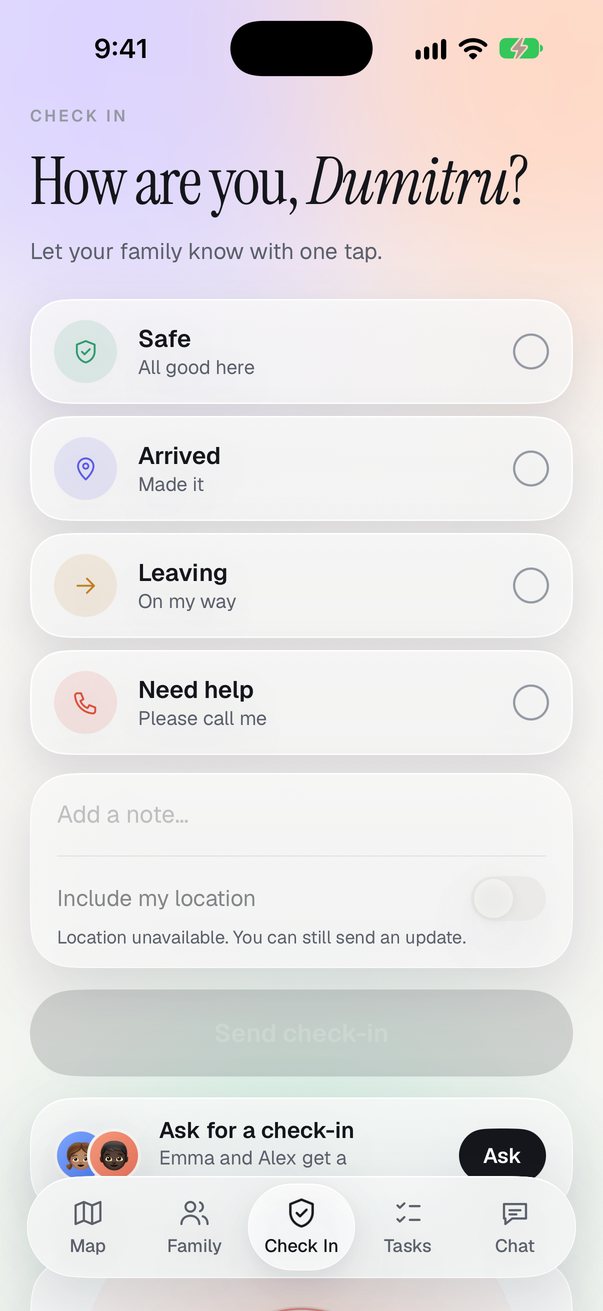
“I’m safe”, in one tap
Pick Safe, Arrived, Leaving or Need help, add a note if you like, and send. Hold SOS for two seconds when it’s serious; everyone sees it at once.
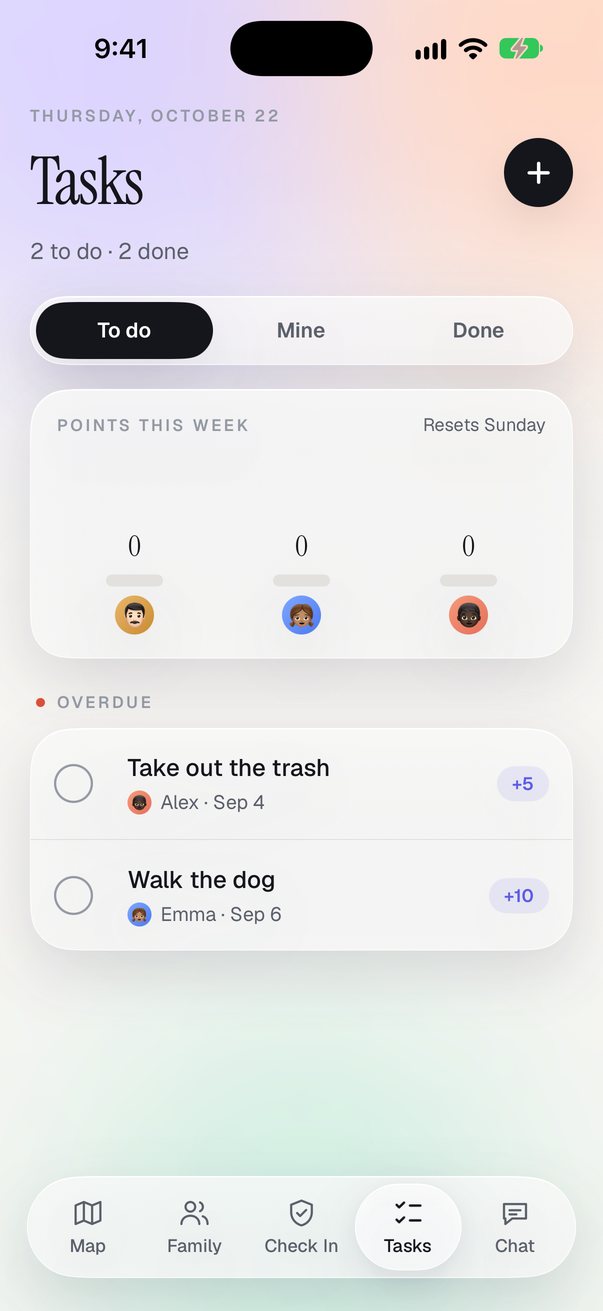
The bins went out on time
Give a task to anyone, with a due day and points. Ticking it off counts toward the week’s leaderboard, which turns chores into a small game.
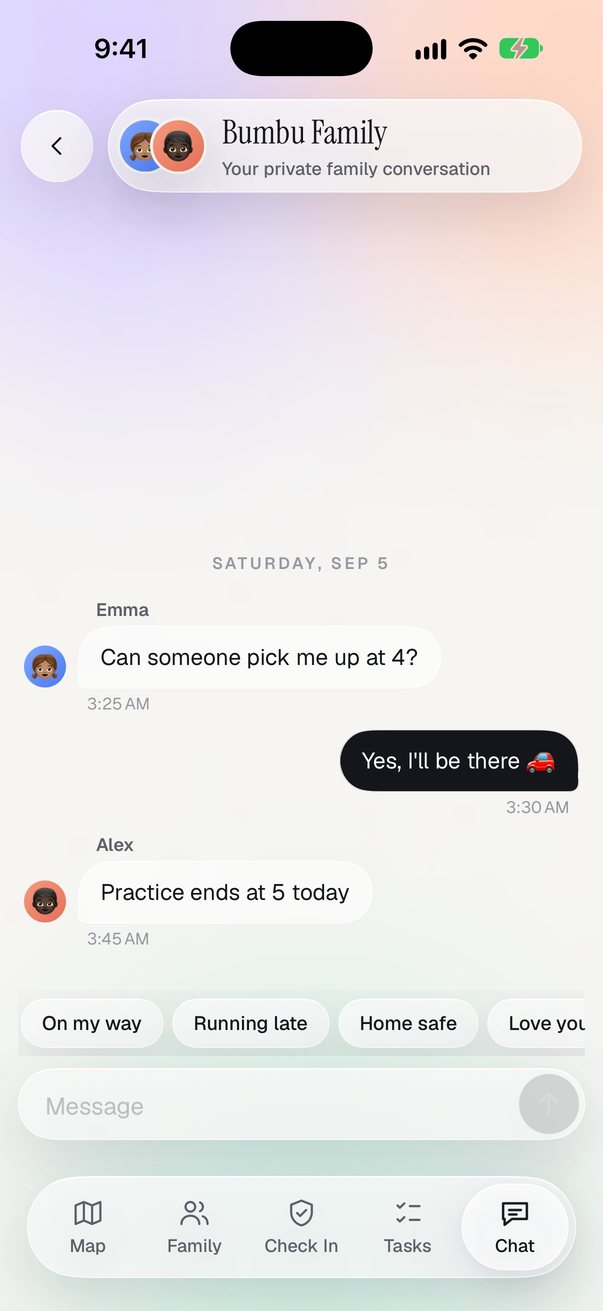
“Running late, save me a plate”
A private family chat, plus one-to-one and small-group chats with Premium. Quick replies like “On my way” are one tap.
Everyone’s home
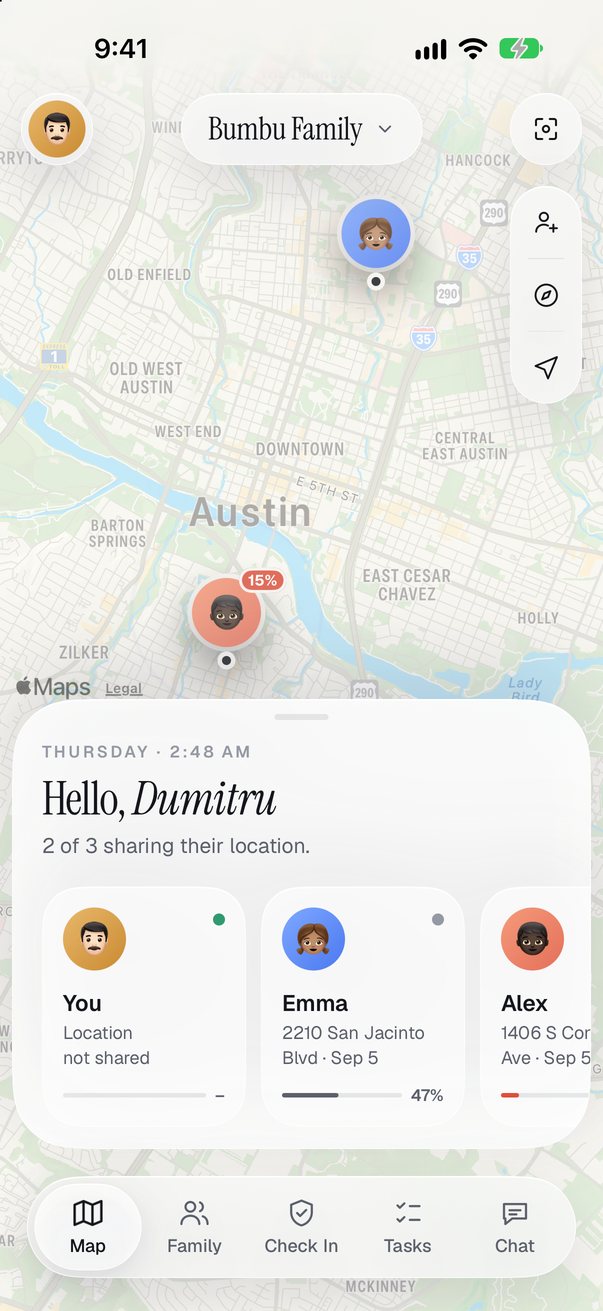
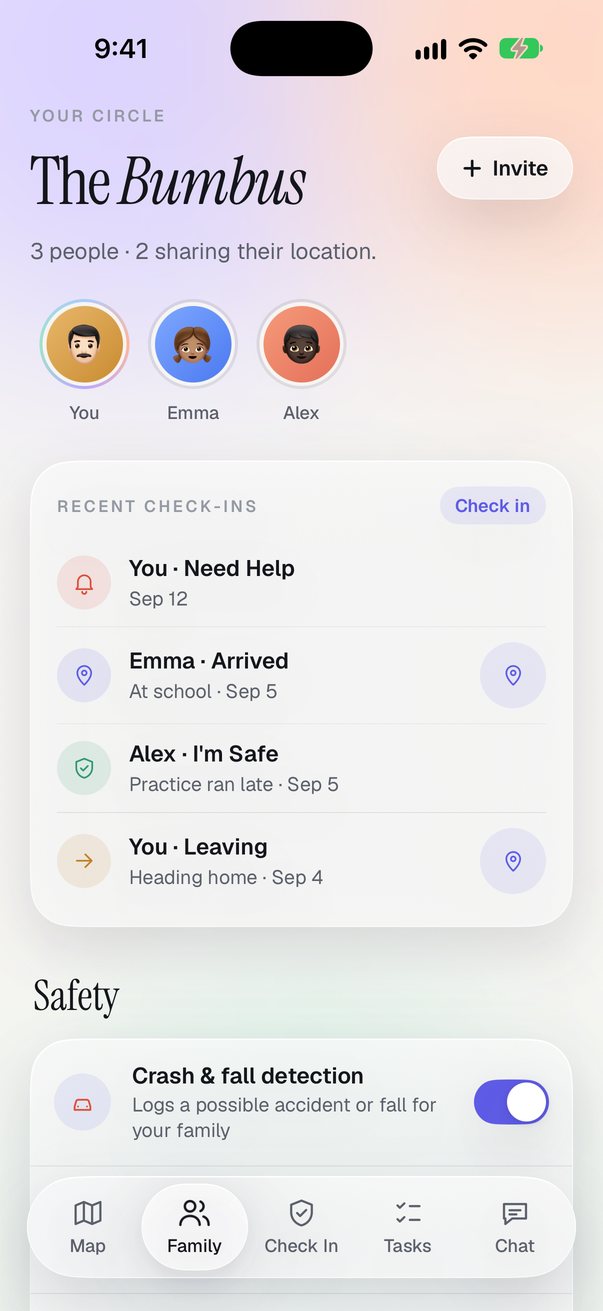
The Family tab shows who’s where at a glance, with recent check-ins and the safety switches your family has turned on.
Everything a family shares
The essentials are free. Premium adds chat, chores and history for families who want the whole picture.
A live family map
Everyone who shares, on one calm map. Tap someone for their battery, how long ago they updated and directions.
Arrival and departure alerts
Get a notification when someone reaches or leaves a saved place. Choose who you hear about, and where.
Check-ins and SOS
Four quick statuses with an optional note and location. SOS asks you to hold, so it can’t go off by accident.
Safety log
Notes a possible accident, a fall, a dropped phone, a sudden stop or high speed, with the time and place.
Tasks with points
Shared chores with due days, points and a weekly leaderboard. Premium or the Chores add-on.
Family chat
One private conversation for the whole family, and separate chats with Premium or the Chat add-on.
Thirty days of history
See the route and stops for any day this month. Premium or the History add-on.
Parent controls
The family owner sets roles, who can see history, and who must keep sharing on.
Battery at a glance
See everyone’s battery level, so a dead phone isn’t mistaken for a problem.
Pause or blur your spot
Pause sharing for 30 minutes to 8 hours, or share an approximate area instead of your exact spot.
Light and dark
FamSpot follows your iPhone’s appearance, day and night.
Twelve languages
English, German, Spanish, French, Italian, Portuguese, Romanian, Russian, Ukrainian, Japanese, Korean and Chinese.
Take a look around
Real screens from the app, in light and dark.


Your family’s map, not ours
Location is personal. FamSpot shares it with the people you invite and no one else, and you decide how much they see.
Read the privacy policy- No ads, no data salesFamSpot is paid for by subscriptions, not by your whereabouts.
- No tracking SDKsNo advertising or analytics libraries in the app, and none on this website.
- You stay in controlPause, blur to an approximate area, or stop sharing whenever you like.
- History expiresLocation history is kept for 30 days, then removed.
- Delete it all, in the appDeleting your account erases your profile, locations and messages.
Start free. Grow together.
Free covers the essentials for a small family. Premium is for everything else.
Free
$0
For getting started
- Live family map
- Up to 4 people
- 2 saved places with arrival alerts
- Check-ins and SOS
- Safety log and battery levels
Premium
$49.99 a year, after a 7-day free trial
or $6.99 a month
- Unlimited people and places
- Family and group chat
- Shared tasks with points
- 30 days of location history
- Everything in Free
Only need one thing? Chat, History or Chores are $2.99 a month each. Prices are in US dollars; the App Store shows your local price. Subscriptions renew automatically until you cancel in your Apple Account settings.
Questions, answered
Does everyone in the family need an iPhone?
Yes, FamSpot is an iPhone app (iOS 17 or later). Each person who wants to appear on the map installs it and joins your family.
How do people join my family?
Open Invite in the app. Family members scan the QR code or type the invite code and PIN. Children can join without an email address.
Can I stop sharing my location?
Any time. Pause for 30 minutes to 8 hours, switch to an approximate area, or turn sharing off in Settings. If a family owner has asked someone to keep sharing on, FamSpot shows the family when location is turned off in iPhone Settings.
Does FamSpot call emergency services?
No. SOS and the safety log alert your family inside the app only. In an emergency, call your local emergency number.
How accurate is the location?
It comes from your iPhone’s location services, so it is usually accurate to a few metres outdoors and less precise indoors. Updates depend on the frequency you choose, your permissions and battery saving on the phone.
Does it drain the battery?
Choose an update frequency in Settings. Balanced updates about every minute while you move and rests when you don’t. Safety detection uses the motion sensors and costs a little more battery; you can turn it off.
What does Premium include?
Unlimited members and saved places, family and group chat, shared tasks with points, and 30 days of location history. It starts with a 7-day free trial. You can also add just one of Chat, History or Chores.
Who can see my data?
Only the people in your family, and only what you share with them. We don’t sell data, show ads or use tracking SDKs. Read the privacy policy for the details.
How do I delete my account?
Settings ▸ Delete account. It removes your profile, locations, history and messages from our servers.
Something else? Visit support or email essentialdevteam@gmail.com.
From the blog
Notes on family safety, privacy and getting the most out of FamSpot.
Introducing FamSpot
Why we built a family map that stays quiet until it matters, and what it does on day one.
Read the postFive check-ins families actually use
The small, one-tap messages that replace a dozen texts a week.
Read the postHow FamSpot handles your location
Who sees it, how long we keep it, and every switch you have, in plain words.
Read the post